

Introducing the New Vicksburg Mobile App!
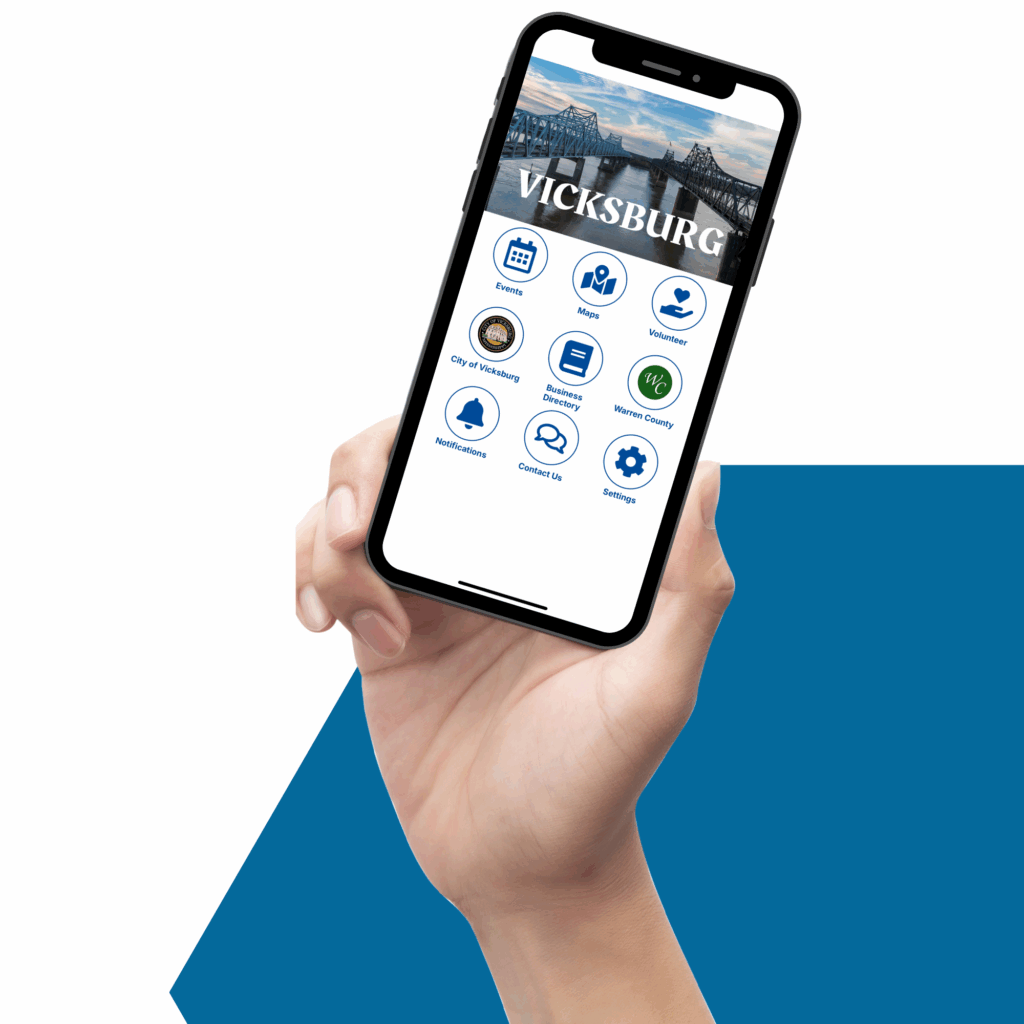 Everything you need to know about Vicksburg and Warren County in the palm of your hand.
Designed with you in mind, this exciting new app is here to make navigating, exploring, and engaging with Vicksburg and Warren County easier and more dynamic than ever.
A huge thank you to the Leadership Vicksburg Team “Weak Matches” for envisioning and bringing this project to life. Their passion for innovation and community connection made this app possible.
River City Designs and Consulting will manage and maintain the app, ensuring it continues to evolve with fresh updates and features.
But we’re just getting started! This is a living, growing tool, and we want your ideas to help shape its future. Whether you’re a resident or a visitor, your input will guide future upgrades so the app doesn’t just meet—but exceeds the needs of our community.
Have a suggestion? An idea for improvement? We’re listening. Help us build an even better Vicksburg—one tap at a time. Submit your suggestions inside the app.
Questions and Answers
Do I have to pay for the VicksburgMS app?
No, the VicksburgMS app is free.
How do I install the VicksburgMS app onto my Apple iPhone or iPad?
Tap on the App Store on your iPhone or iPad. Cick on Search and enter Vicksburg MS Connect. Tap on Get and then Install to download the App.
How do I install the VicksburgMS app on my Android devices?
Tap on the Google Play store on your Android device. Click on Search and enter Vicksburg MS Connect. Tap Install to download the App.
What should I do if I'm having problems with the VicksburgMS app?
Here are a few things you can do if you encounter issues:
- Try turning off and restarting your mobile device.
Check for operating system upgrades on your device and ensure you are running the current version. - Go to the GooglePlay (for Android) or Apple App (for Apple) to check that you have the latest version of the App.
If the above does not resolve your issues, and send an email at rivercitydesignsandconsulting@gmail.com.
Include a description of your Vicksburg MS Connect app issue. Please specify the type of device and operating system version.
How do I turn notifications on or off?
If you want to receive notifications from about Vicksburg MS Connect, tap on the Settings icon. Under the App Permissions, tap on Notifications and then tap on Open Notification Settings. Find the BurnabyConnect app turn the Allow Notifications on. You can stop notification by turning off the Allow Notification in the Settings area.
Will the app be collecting any personal information about me?
Please see this page for full details:

Download the FREE VicksburgMS Mobile App.

Download the app for Apple devices:
https://apps.apple.com/us/app/vicksburg-ms-connect/id6747846996
Download the app for Android devices:
https://play.google.com/store/apps/details?id=com.vicksburgusa.vicksburgmsconnect